Dedicated Storage Space for Every Account
Every cloned application possesses its own sandbox storage. Login credentials, chat histories, and gameplay progress between multiple accounts remain completely isolated.
Run multiple accounts for messaging, social media, work, and gaming simultaneously on a single Android device. Each account runs inside an isolated, secure, and interference-free sandbox.

Each cloned app operates within its own private data directory on internal storage, guaranteeing account sessions never overlap or cross-contaminate.
Architected for standard Android 7.0 through Android 16 devices without requiring root access, custom ROMs, or bootloader unlocking.
Every build release is cryptographically signed with the official ERCLONE certificate and verified through Ed25519 metadata signatures and SHA-256 checksums.
ERCLONE PRO is engineered to be lightweight, organized, and seamless for everyday productivity—whether separating personal and work accounts, managing stores, or gaming.
Every cloned application possesses its own sandbox storage. Login credentials, chat histories, and gameplay progress between multiple accounts remain completely isolated.
Never switch between apps to recall login IDs or passwords. Keep credentials, notes, and reminders right inside ERnote with automatic saving and quick clipboard copy.
Need one secondary account or dozens at once? Create single clones in seconds or use Batch Clone to spin up to 50 instances complete with custom naming and clean sequential numbering.
Secure work and private profiles using device authentication (Fingerprint / PIN) and conceal specific cloned apps from your primary app launcher for complete peace of mind.
Archive entire clone configurations and account databases into standalone backup packages. Restore everything seamlessly when changing phones or resetting devices.
Freeze idle background clones with a single tap to free up RAM and preserve battery life. Organize clone icons effortlessly using fluid drag-and-drop workspace controls.
Keep corporate communication and client accounts cleanly divided from your personal life on one smartphone—no need to carry two physical phones.
Play multiple accounts in your favorite strategy, RPG, or multiplayer games without tedious logouts. All game assets and save states stay isolated.
Run simultaneous seller dashboards, marketplace apps, and social business channels to fulfill orders and provide instant support without delays.
Engineered for immediate ease of use without complex configurations or technical barriers.
Download the official APK installer from this page and install it directly on your Android phone with zero root required.
Tap the add button (+), choose any installed app or game from your phone, and select how many clones you want to generate.
Open the newly created clones, log in to your second accounts, customize titles or badge colors, and store credentials safely in ERnote.
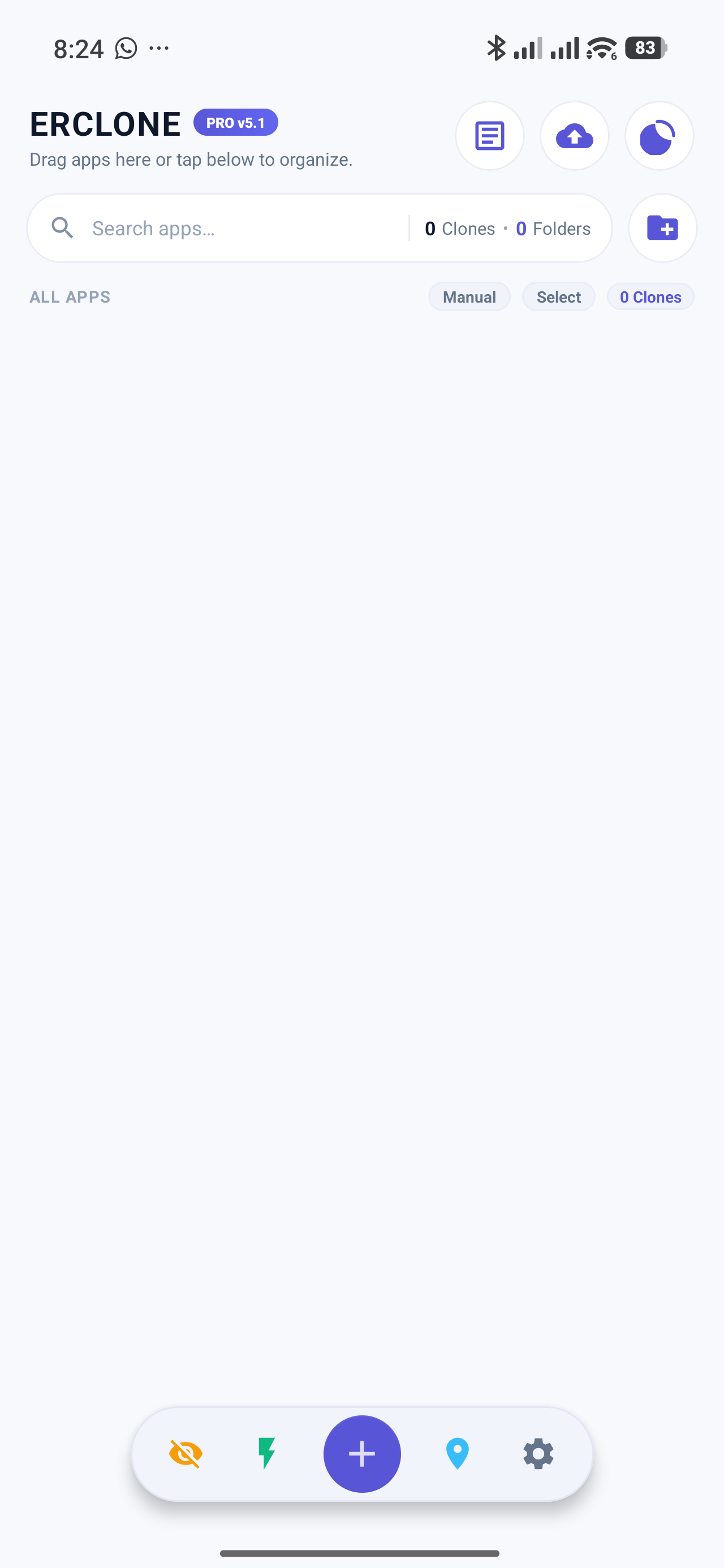
Actual captures taken directly from ERCLONE PRO running on Android—featuring the built-in ERnote workspace and comprehensive settings panel.

Polished dashboard featuring numeric clone badges (1, 2, etc.), customizable app folders, and real-time active process statuses.

Record login credentials, IDs, passwords, and task notes without juggling third-party apps. Saved automatically and securely.

Manage standalone (.erclone) archives, biometric fingerprint security, in-app update checks, and granular privacy controls.
Obtain the latest official release package directly from our secure servers. Safe to install over earlier versions without losing your existing clones or notes.
Tap the Download Official APK button above. If your browser displays a download confirmation dialog, select Download Anyway / Save.
Open the downloaded APK package. If prompted by Android, enable the Allow from this source permission for your web browser.
Tap Install / Update. If a system verification popup appears due to direct website installation, tap More Details → Install Anyway.
Find quick answers regarding usability, data security, and updates for ERCLONE PRO.
No. ERCLONE PRO functions seamlessly on standard Android smartphones (Android 7.0 through Android 16) without requiring root privileges or system modifications.
No. As long as you install the update over your existing installation without uninstalling the app first, all cloned instances, login sessions, folder layouts, and ERnote records will remain intact.
ERnote is a dedicated notebook conveniently accessible directly from the top bar of ERCLONE PRO. You can record usernames, account IDs, or work memos with automatic real-time autosave.
Navigate to the Backup & Restore menu in the app, select 'Full Standalone Backup' or 'Data Only Backup' to export a .erclone archive file. Transfer this file to your new device and select 'Restore from Backup'.
Tap the Freeze button (lightning icon on the bottom navigation bar) on the home screen to pause idle background clones instantly and eliminate background CPU drain.
You can check for updates anytime via Settings -> Check for Updates inside the application, or download the latest official APK directly from this website and install it over your existing version.
ERCLONE PRO fully respects your personal privacy. All cloned app data, authentication tokens, and notes inside ERnote are stored locally on your physical device. When checking for software updates, our system only transmits your installed version number to ensure the appropriate official build package is provided.